NoteItUP

Your private AI diary.

Journaling powered by on-device Gemma 4 AI. Your thoughts never leave your phone.

androidAndroid phone_iphoneiOS — Coming soon desktop_windowsDesktop — Coming soon boltOn-Device AI codeOpen Source

Built for the way you actually journal

Everything you need for a daily writing habit — without the bloat or the cloud.

edit_note

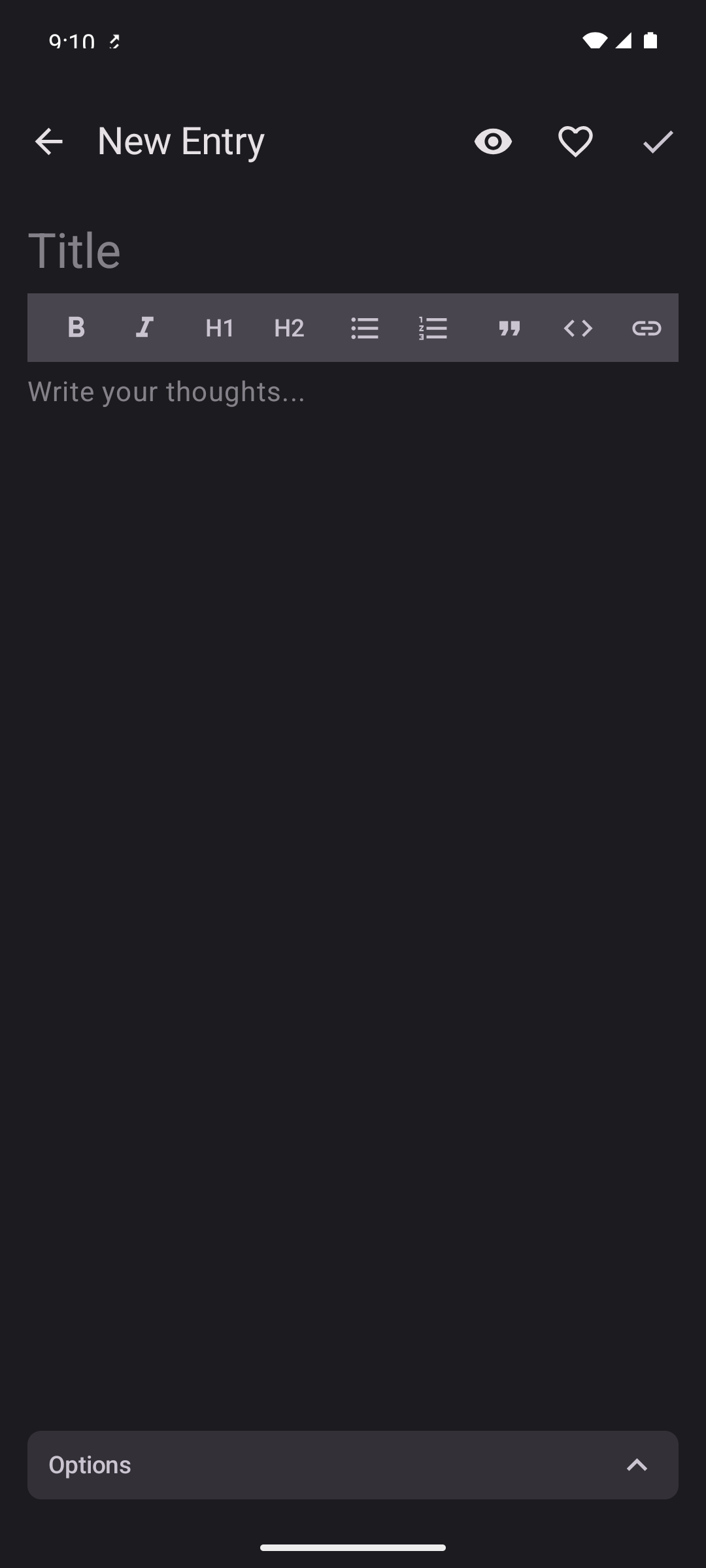
Rich WYSIWYG editor

Bold, italics, headings, lists, quotes, code blocks and links — with a live preview toggle.

mood

Mood tracking

Tag each entry with five mood levels and watch trends in a beautiful distribution chart.

folder

Folders & tags

Color-coded folders, multiple tags per entry, and instant filtering across your library.

calendar_month

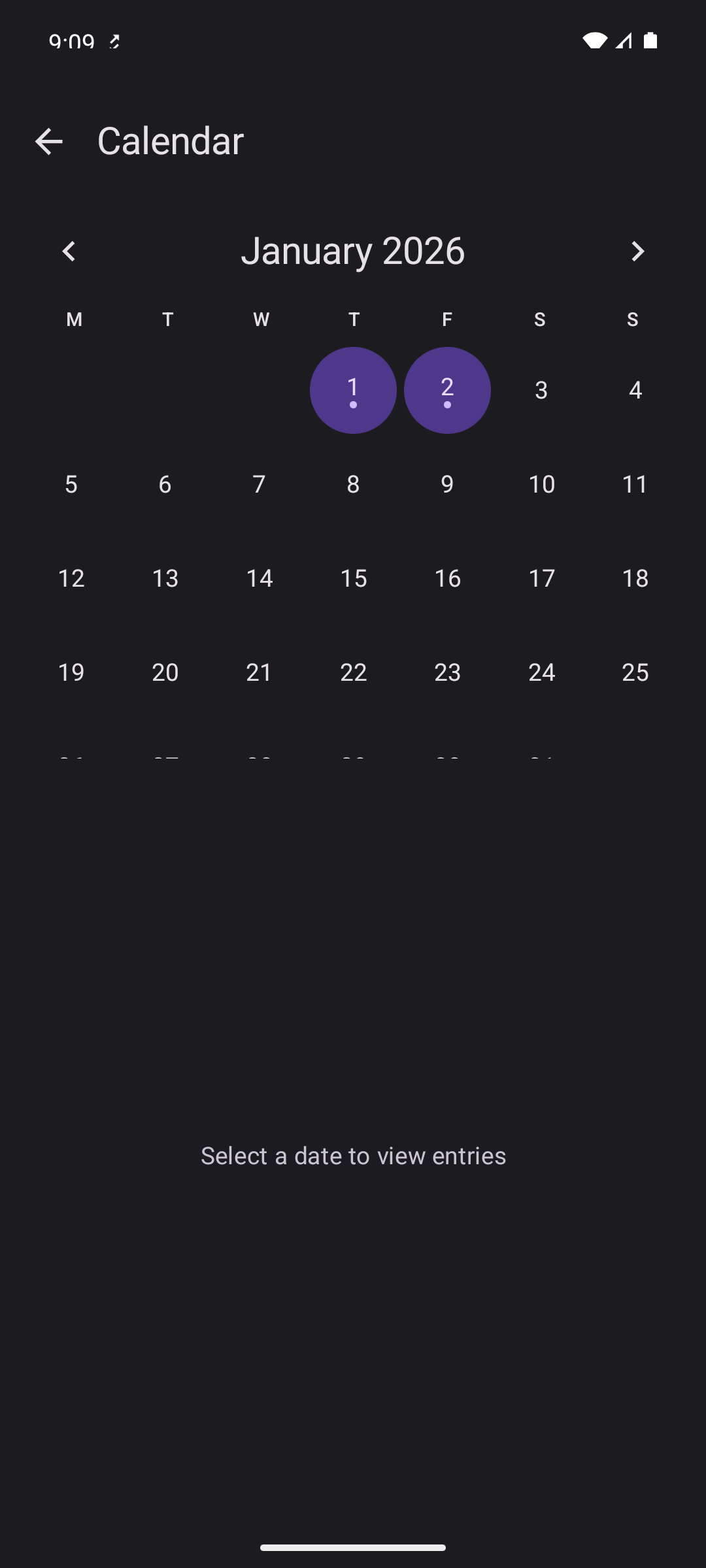
Calendar view

Jump to any day and see which dates have entries at a glance.

image

Image attachments

Pick from gallery or capture with the camera. Photos are auto-compressed to keep your library lean.

location_on

Location tagging

Optional GPS with reverse geocoding so you remember where each thought was written.

insights

Statistics dashboard

Writing streaks, entries per month, top tags, and mood breakdowns — all from your own data.

cloud_sync

Encrypted cloud backup

Optional Google Drive or Dropbox sync, protected end-to-end with AES-256-GCM.

A diary that feels at home on your phone

Material You styling, fluid animations, and a layout built around your writing — not around chrome.
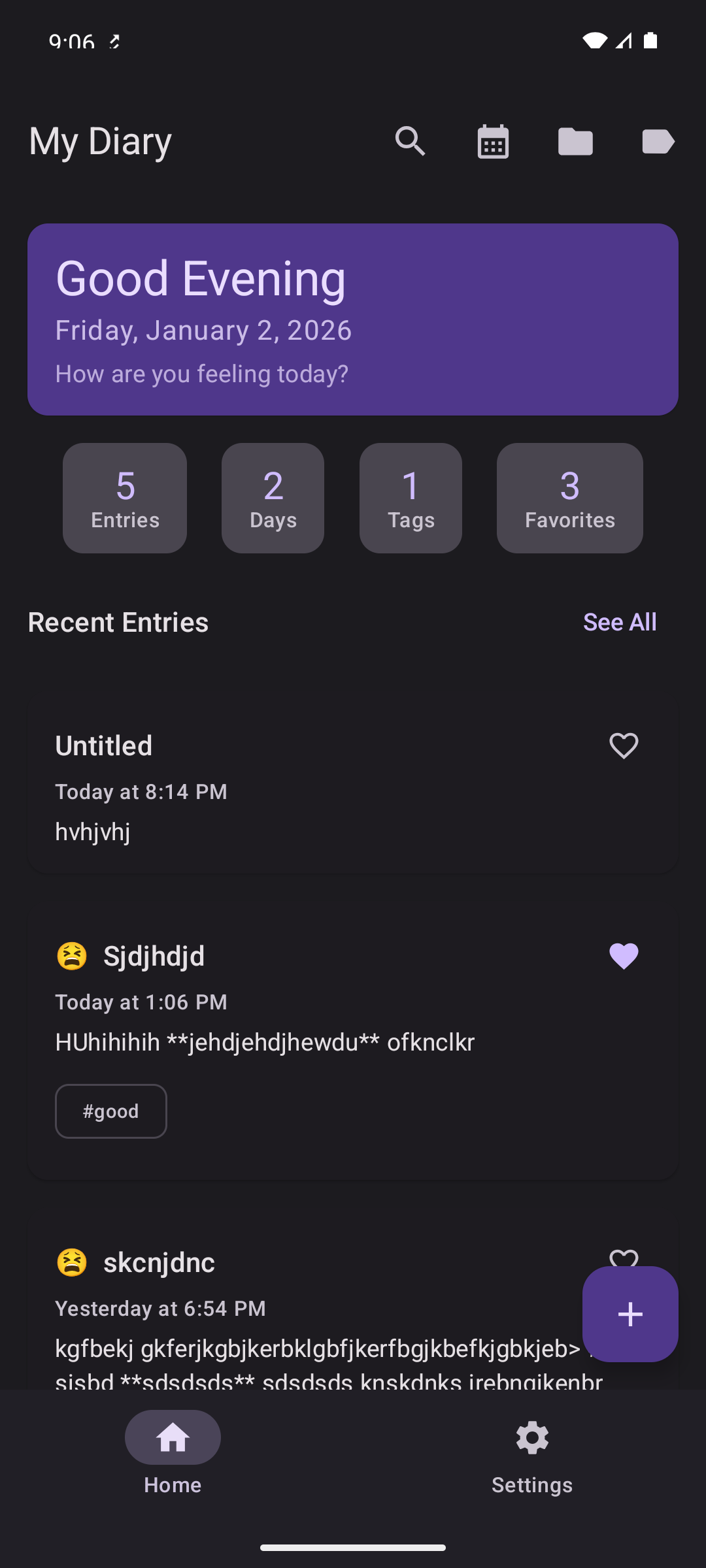
NoteItUP home screen showing the list of journal entries
Home — your entries at a glance
NoteItUP editor screen with rich text formatting toolbar
Editor — rich text with AI tools
NoteItUP calendar view showing entries by date
Calendar — browse by date
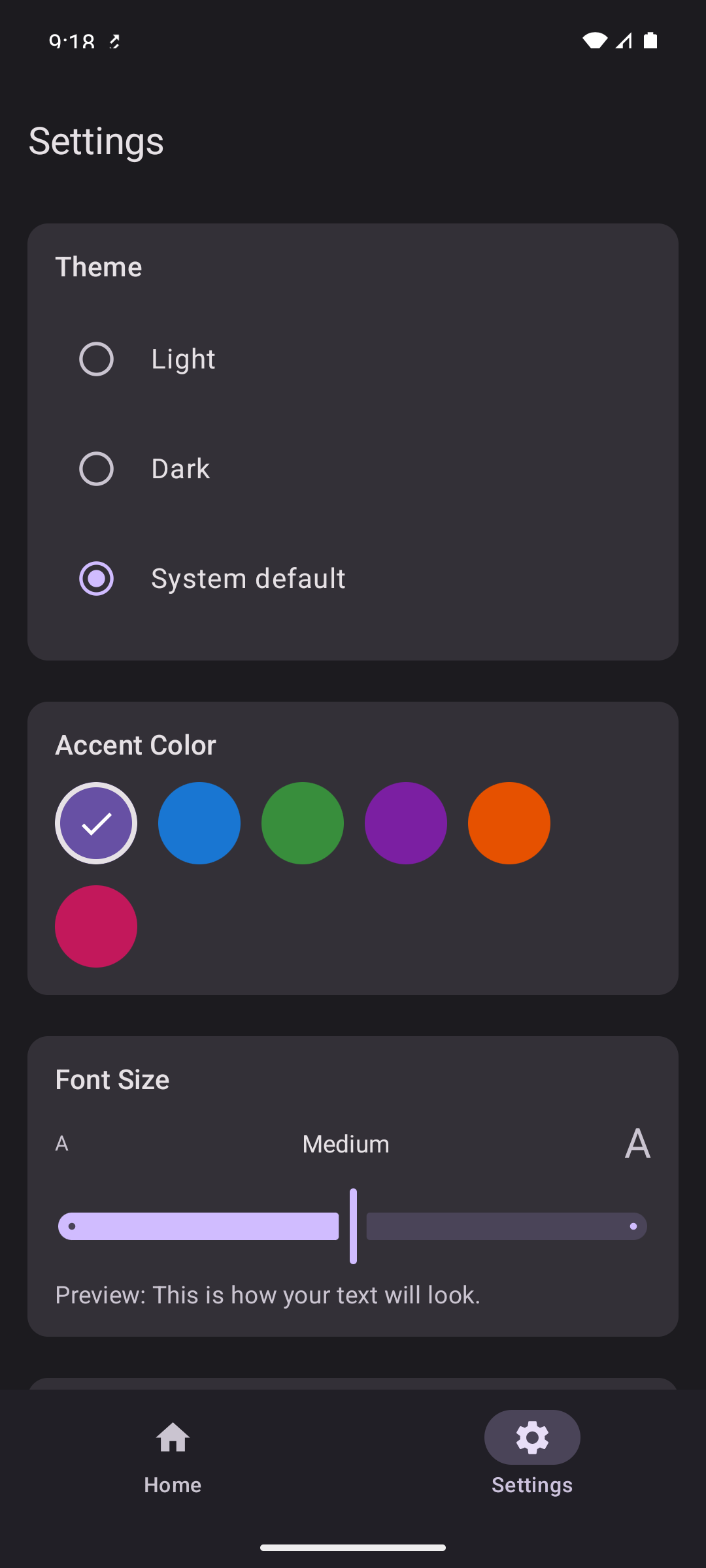
NoteItUP settings screen with theme and AI options
Settings — themes, AI & backup

Powered by on-device Gemma 4

Eight writing tools and a brainstorm chat — running locally on your device with Google's Gemma 4 model via LiteRT-LM. No round trips. No telemetry.

auto_fix_high
Improve for Journal
spellcheck
Fix Grammar
lightbulb
Improve Clarity
compress
Make Shorter
expand
Expand
business_center
Professional Tone
sentiment_satisfied
Casual Tone
summarize
Summarize
forum

Brainstorm Mode

An interactive AI chat that remembers your conversation across sessions. Think out loud, get unstuck, or explore an idea — without sending a single token to the cloud.

Prefer a cloud model? Bring your own key. NoteItUP also supports:

Groq Google Gemini OpenRouter Together AI OpenAI Anthropic

Privacy isn't a setting. It's the default.

Your diary should be the one place that's truly yours. NoteItUP is built local-first, with cloud features that are opt-in and end-to-end encrypted.

save

Local-first storage

Entries live in an on-device SQLite database. Cloud sync is optional — and off by default.

lock

AES-256-GCM backups

Backups to Google Drive or Dropbox are encrypted with a password only you know — before they leave your device.

pinPIN lock fingerprintBiometric unlock timerAuto-lock wifiWi-Fi-only sync file_downloadExport to JSON / CSV / MD / PDF

Start writing today.

Free, open source, and ready to install on Android. iOS and Desktop builds are coming soon.

verifiedVersion 1.7.0 balanceMIT License phone_iphoneiOS & Desktop coming soon

Questions, answered

If you have one we haven't covered, open an issue on GitHub.

Is NoteItUP really free?
Yes — completely free, with no ads, no trackers, and no premium tier. The app is open source under the MIT license, so you can audit, fork, or self-build it any time.
Does my data ever leave my device?
Only if you explicitly turn on cloud backup. By default, every entry, image, and AI response stays on your phone. If you do enable Google Drive or Dropbox sync, backups are encrypted with AES-256-GCM using a password you choose — before they're uploaded.
Which platforms are supported?
Android is the primary platform and is live on the Play Store today. iOS and Desktop (macOS, Windows, Linux) builds exist in the codebase via Kotlin Multiplatform / Compose Multiplatform and will be published next.
How does the on-device AI actually work?
NoteItUP ships Google's Gemma 4 (2B parameters, instruction-tuned) and runs it locally using LiteRT-LM, Google's on-device inference engine. The model is downloaded once, then every "Improve clarity" or Brainstorm chat happens entirely offline.
Can I import from Day One or Joplin?
Yes. NoteItUP imports full Day One archives (with photos) and Joplin .jex exports. You can also restore from any previous NoteItUP backup. Exports go out as JSON, CSV, Markdown, or formatted PDF.
Where do I report bugs or request features?
On GitHub Issues. PRs welcome too.